

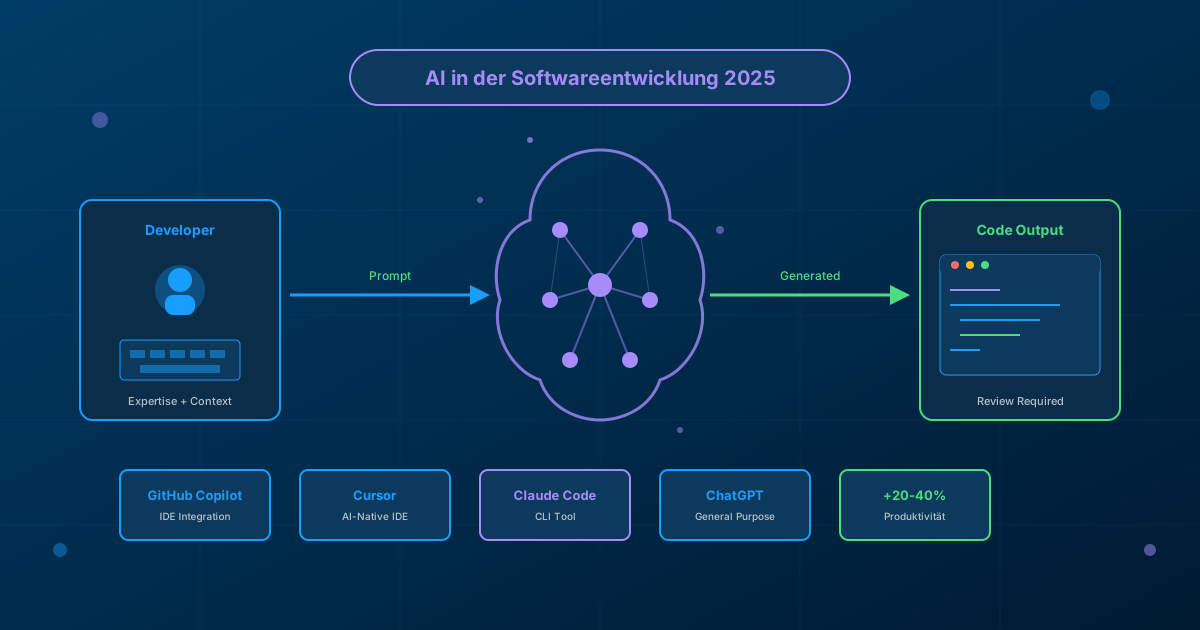
AI is fundamentally changing software development - but not in the way many think. Instead of replacing developers, AI tools are becoming valuable assistants. Here's my hands-on experience: What works, what doesn't, and where the real productivity gains are.
The AI Development Landscape in 2025
The major AI tools for developers have become established:
- GitHub Copilot: IDE integration for code completion and chat
- Cursor: AI-native IDE with Claude and GPT integration
- Claude Code: CLI tool for complex code operations
- ChatGPT/Claude: General-purpose assistants for explanations and debugging
Where AI Really Helps
1. Boilerplate Code and Scaffolding
This is where AI shines. Controllers, models, migrations, API endpoints - anything that follows a known pattern:
Practical Tip
Formulate precise prompts: "Create a Laravel Resource Controller for Product with index, store, update, destroy. Use Form Requests for validation and API Resources for response."
2. Test Creation
AI can derive meaningful test cases from existing code. Particularly valuable:
- Edge cases you would overlook yourself
- Consistent naming conventions
- Setup/teardown boilerplate
3. Understanding Legacy Code
A game-changer for legacy modernization: AI can:
- Explain complex functions in natural language
- Uncover implicit dependencies
- Provide refactoring suggestions with explanations
Caution with Legacy Code
AI doesn't understand business context. That mysterious handleSpecialCase() function might have a good reason. Always involve domain experts.
4. Documentation
JSDoc, PHPDoc, README generation - AI saves enormous time here and is often more consistent than manually written docs.
Where AI Hits Its Limits
Architecture Decisions
AI doesn't know long-term consequences. It can't answer "Microservices or Monolith?" for your specific team, budget, and business context.
Domain-Specific Knowledge
Industry-specific logic, regulatory requirements, historically grown business rules - AI lacks this context.
Security-Critical Code
AI can introduce security vulnerabilities. Generated code should always undergo security review.
Best Practices for AI-Assisted Development
1. AI as Code Reviewer
Use AI for an initial code review before the team review:
- "Find potential bugs in this code"
- "Which edge cases aren't handled?"
- "How can I make this code more testable?"
2. Pair Programming with AI
Explain your intention to AI before writing code. This forces you to think clearly:
- What is the goal?
- What constraints exist?
- What are the expected edge cases?
3. Iterative Refinement
The first AI suggestion is rarely perfect. Refine iteratively:
- Have first draft generated
- Provide specific criticism: "The exception handling is too generic"
- Request improved version
- Finally optimize yourself
Productivity Measurement in Practice
From my experience in Fractional Tech Lead engagements:
| Task | Without AI | With AI | Savings |
|---|---|---|---|
| CRUD Controller | 45 min | 15 min | 67% |
| Unit Tests (10 Cases) | 60 min | 25 min | 58% |
| Legacy Code Review | 90 min | 45 min | 50% |
| API Documentation | 30 min | 10 min | 67% |
| Architecture Design | 120 min | 100 min | 17% |
Takeaway: The biggest gains are in repetitive tasks, not complex decisions.
AI Tools in Enterprise Use
Data Privacy and Compliance
Important considerations for enterprise deployment:
- Code Privacy: What data is sent to AI providers?
- Self-Hosted Options: Ollama, LocalAI for sensitive projects
- License Questions: What about copyright of generated code?
Team Onboarding
Successful AI integration requires:
- Clear guidelines: What may be done with AI?
- Prompt engineering training
- Quality assurance: AI code must go through the same review process
Conclusion: AI as Force Multiplier
AI makes good developers better but doesn't replace expertise. The greatest value lies in:
- Accelerating routine tasks
- Faster understanding of unfamiliar code
- More consistent documentation
The art is to deploy AI where it has strengths - and continue to rely on human expertise for architectural decisions.
AI-Assisted Legacy Analysis
Do you have a complex legacy system? With AI support, I analyze your code faster and more thoroughly.